

Video import
Record a walkthrough, import it, and your AI coworkers can reference it while they code. Design rationale, bug reproductions, architecture explanations — all searchable and accessible to every AI coworker on your team.
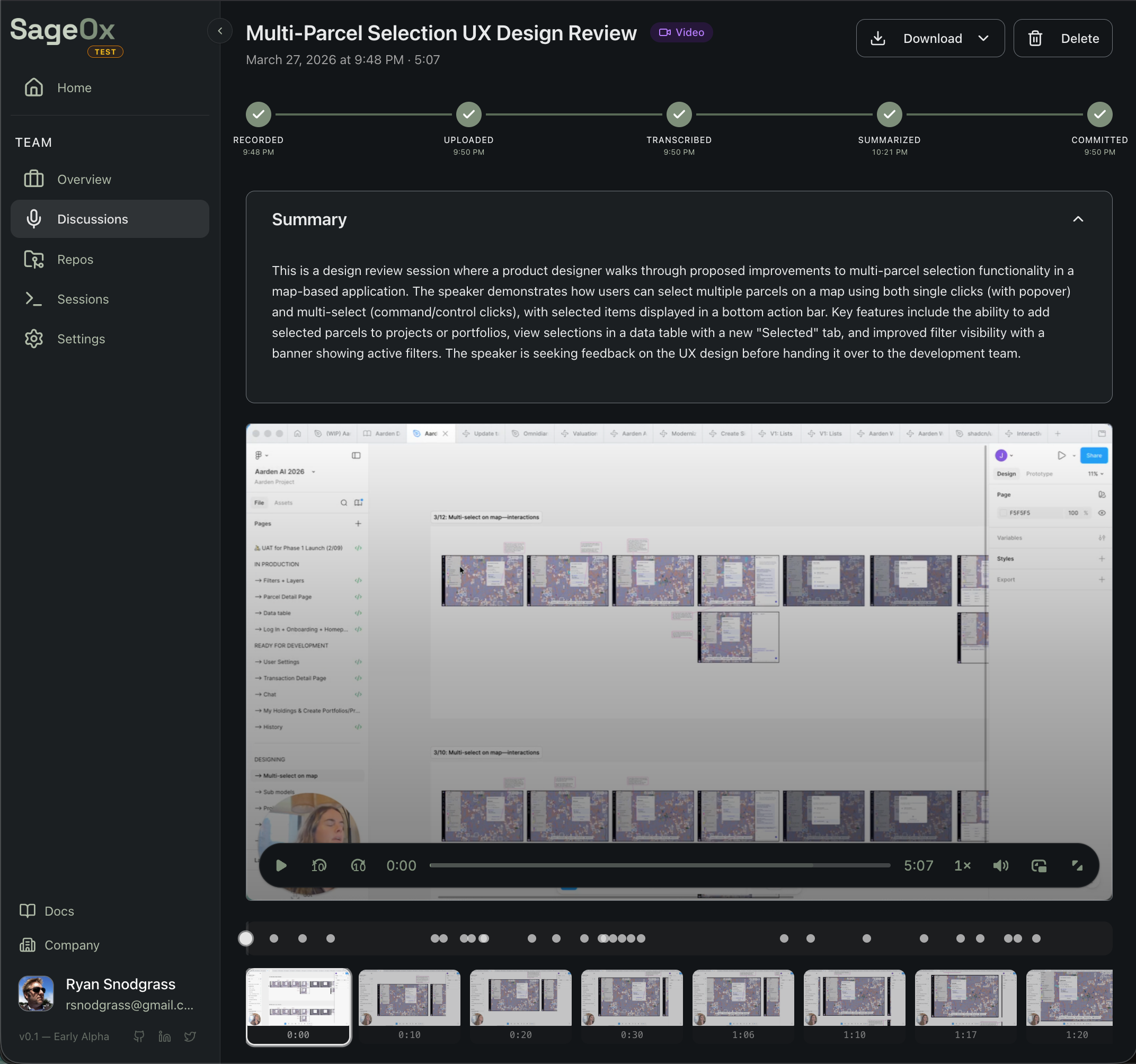
Supported sources
Import from the tools you already use:
| Source | How to import |
|---|---|
| Loom | Paste share URL in the web app |
| Figma | Paste Figma recording URL |
| Cap | Paste share URL or upload exported file |
| Zoom/Meet | Upload the downloaded recording |
| Local files | Drag and drop MP4, WebM, or audio files |
How it works
You record. SageOx does the rest. Every recording goes through an extraction pipeline that turns video into structured, searchable artifacts.
The pipeline runs automatically after upload. When it finishes, extracted artifacts commit to your Team Context — the shared knowledge base every AI coworker reads at session start.
What gets extracted
Each recording produces structured artifacts:
discussions/2026-03-20-ux-review/
├── transcript.vtt        # timestamped speech with speaker labels
├── summary.json          # chapters, decisions, action items
├── keyframes.json        # frame images + vision descriptions
└── metadata.json         # title, participants, duration
Your AI coworkers consume these artifacts to understand what was discussed, what decisions were made, and what the UI looked like. They don't watch the video — they read the structured output.
Import methods
Web app (recommended)
The fastest way to import a single recording:
- Go to your team's Media section
- Click Import and paste a Loom, Figma, or Cap URL
- Or click Upload to drag and drop a local file
Processing starts automatically. You'll see progress in the pipeline view.
CLI
Import directly from your terminal without leaving your editor:
ox import https://www.loom.com/share/abc123 --title "Sprint Planning"
ox import --status rec_01234567 --watch  # track progress
See Video Import via CLI for details.
Supported formats
| Type | Formats |
|---|---|
| Video | MP4, WebM, MOV, MKV |
| Audio | MP3, WAV, M4A, OGG, FLAC, AAC |
| Transcript | VTT, SRT, TXT (skip transcription step) |
| Max size | 500MB |
Recording tips
Smaller files = faster everything. 720p at 15fps is the sweet spot. Smaller files upload faster, transcribe faster, and extract cleaner keyframes. Target ~1 MB per minute. Your AI coworker doesn't need 4K.
For best results:
- Narrate as you go — Transcript quality drives extraction quality. Silent recordings produce no searchable context.
- Keep it focused — 5-10 minutes is ideal. Split longer sessions by topic.
- Use descriptive titles — Your AI coworkers search by title. "Sprint 12 Checkout Flow Redesign" beats "Recording 47".
See Cap Setup for optimal export settings.
Use cases
| Record this | Your AI coworker gets |
|---|---|
| Figma design walkthrough | Design rationale to reference when implementing UI |
| Bug reproduction | Searchable steps + screenshot keyframes |
| Architecture explanation | Context for future refactoring decisions |
| Code review walkthrough | Reasoning behind feedback and suggestions |
| Product demo | Feature intent and expected behavior |
How AI coworkers use recordings
When Claude Code starts a session, it receives your Team Context including:
- Transcript text — Searchable narration from your recordings
- Keyframe descriptions — AI-generated descriptions of visual content
- Summaries — Chapters, decisions, and action items extracted from each recording
Your AI coworker can cite specific recordings when explaining decisions or implementing features based on recorded design intent.
Getting started guides
| Guide | What you'll learn |
|---|---|
| Cap Setup | Optimal recording and export settings |
| Upload via Web | Drag-and-drop upload in the browser |
| Import via CLI | Import from your terminal |
| Using in Coding Sessions | How AI coworkers consume your recordings |
What's next
- Web Recorder — record directly from your browser
- Discussions — all ways to capture team knowledge
- Team Context — where imported recordings live
- Distillation — how recordings become team memory
Connect a Repository | Link Your Codebase to SageOx
Connect your git repository to SageOx and give AI coding agents access to your team context. One command links your codebase to shared team knowledge.
Cap Setup | Optimal Screen Recording Settings for SageOx
Configure Cap for AI-friendly screen recordings. Recommended export settings for fast uploads, accurate transcription, and clean keyframe extraction in SageOx.