SageOx is now on iPhone &Apple Watch

Capture your thinking, wherever it happens.

Get the iPhone app

How it works

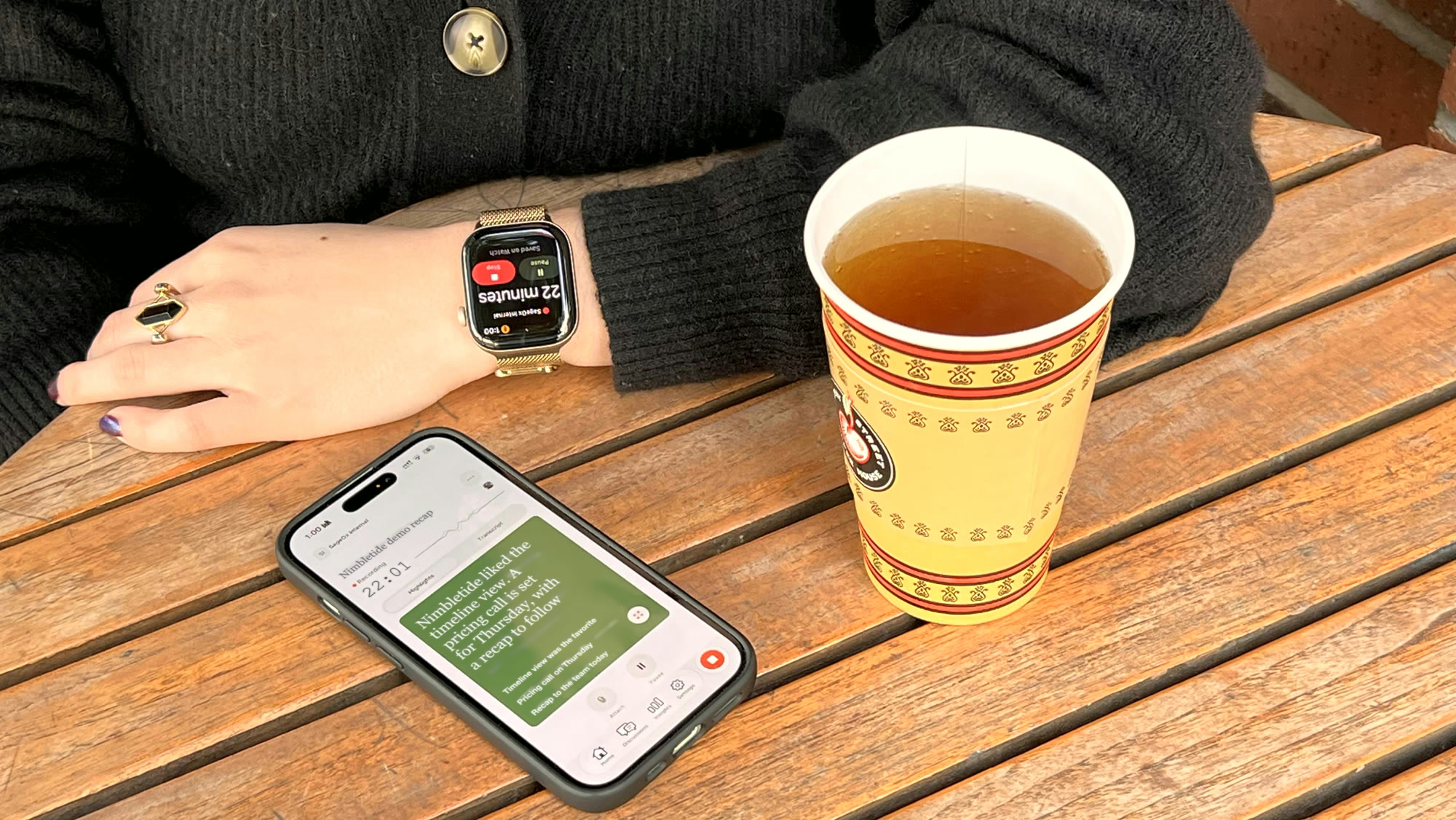
An Apple Watch showing a recording in progress and an iPhone with a SageOx recording on its screen, on a café table beside a cup of tea
  1. Start where you are

    Tap Record on your iPhone or your Apple Watch.
  2. Keep moving

    Your watch records on its own and sends the recording to your workspace over your iPhone, Wi-Fi or cellular.
  3. Find it in Team Context

    The recording goes to your team’s workspace, where your human and AI teammates can use it.

Record from your iPhone

Start a recording in one tap, and choose which team it goes to.

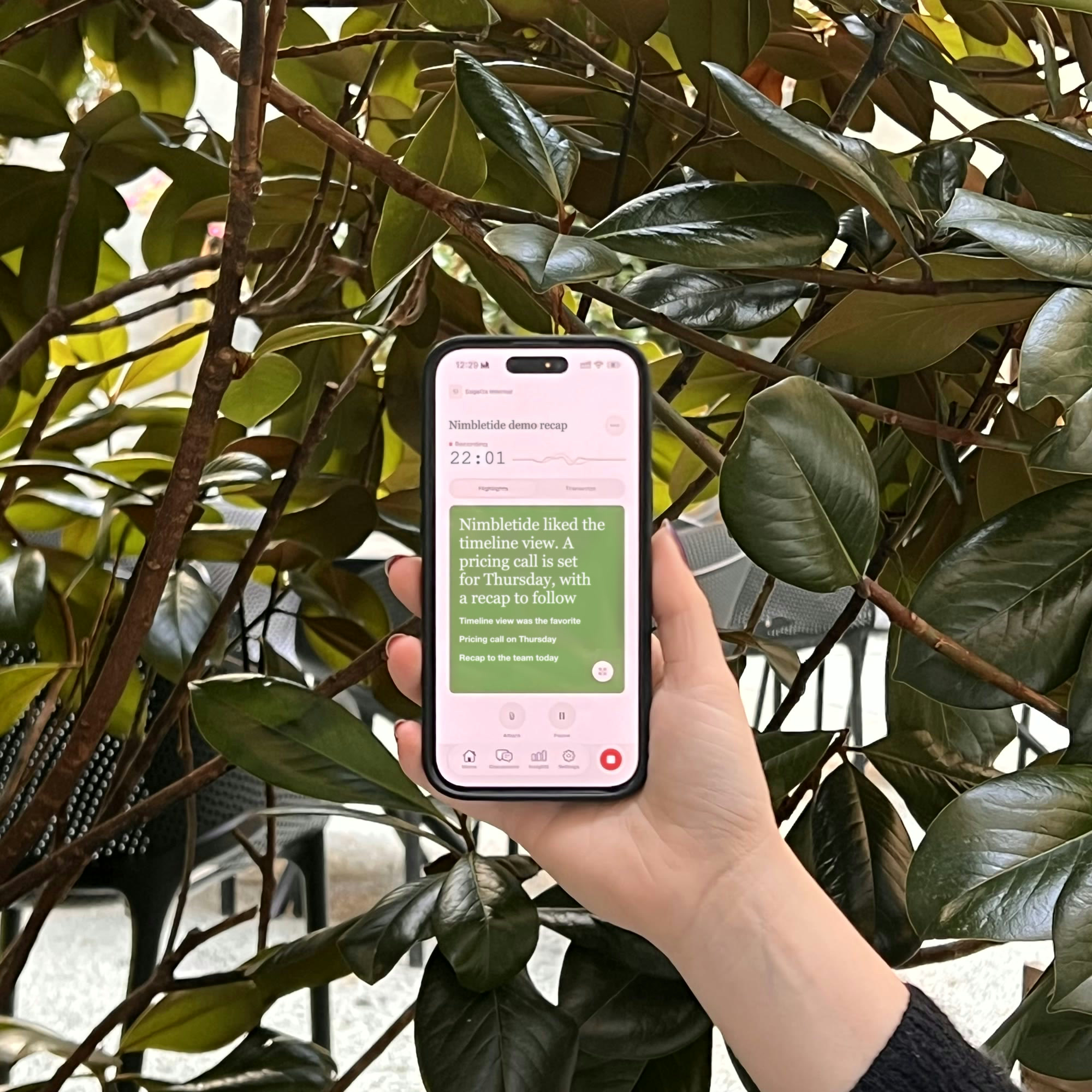
A hand holding an iPhone that shows a SageOx recording, in front of green leaves

From recording to summary

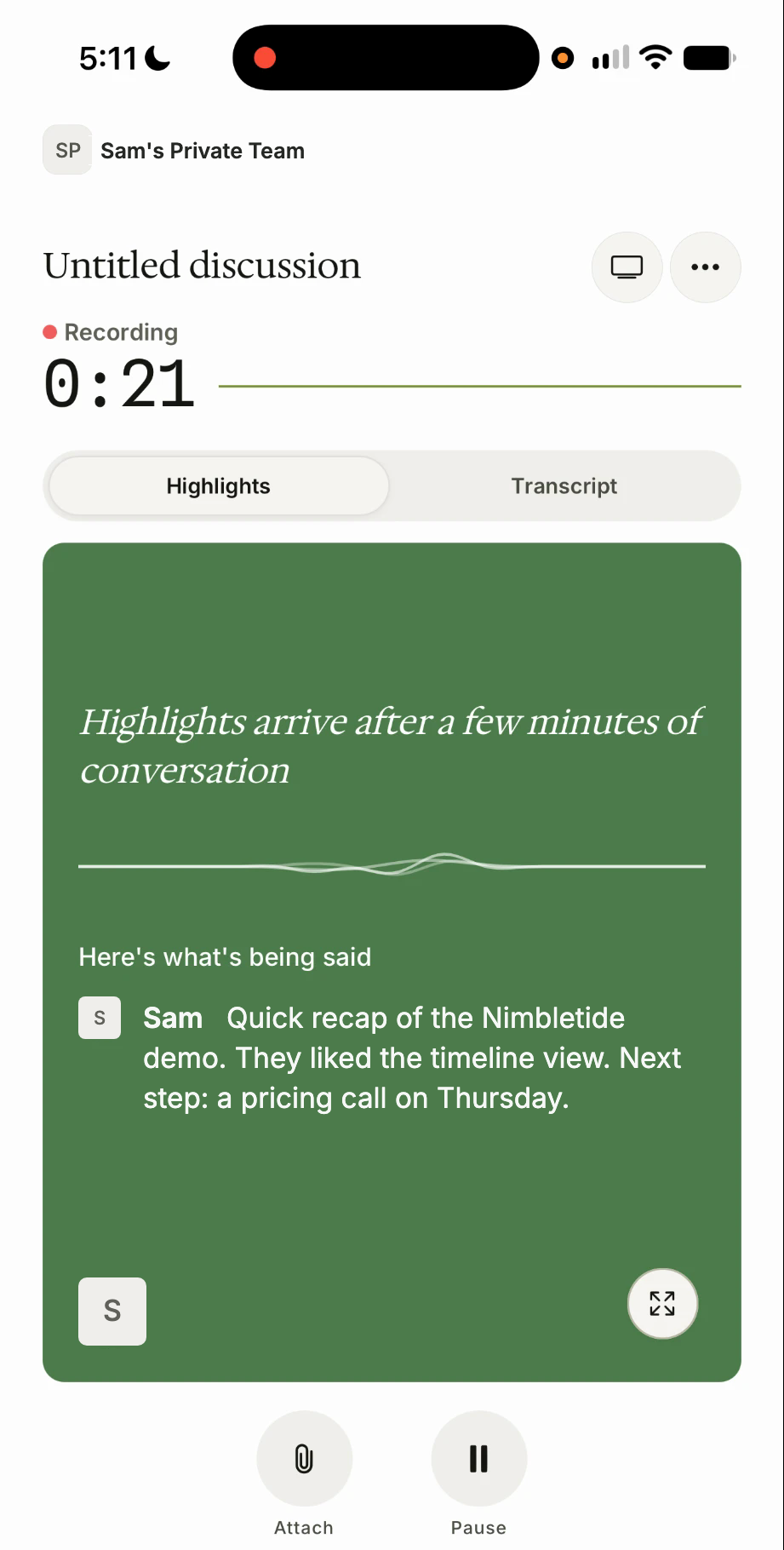
  • The iPhone recording screen: a timer at 0:21, and the words Sam is saying appearing as a live transcript

    While you record

    Your words show up as you speak.

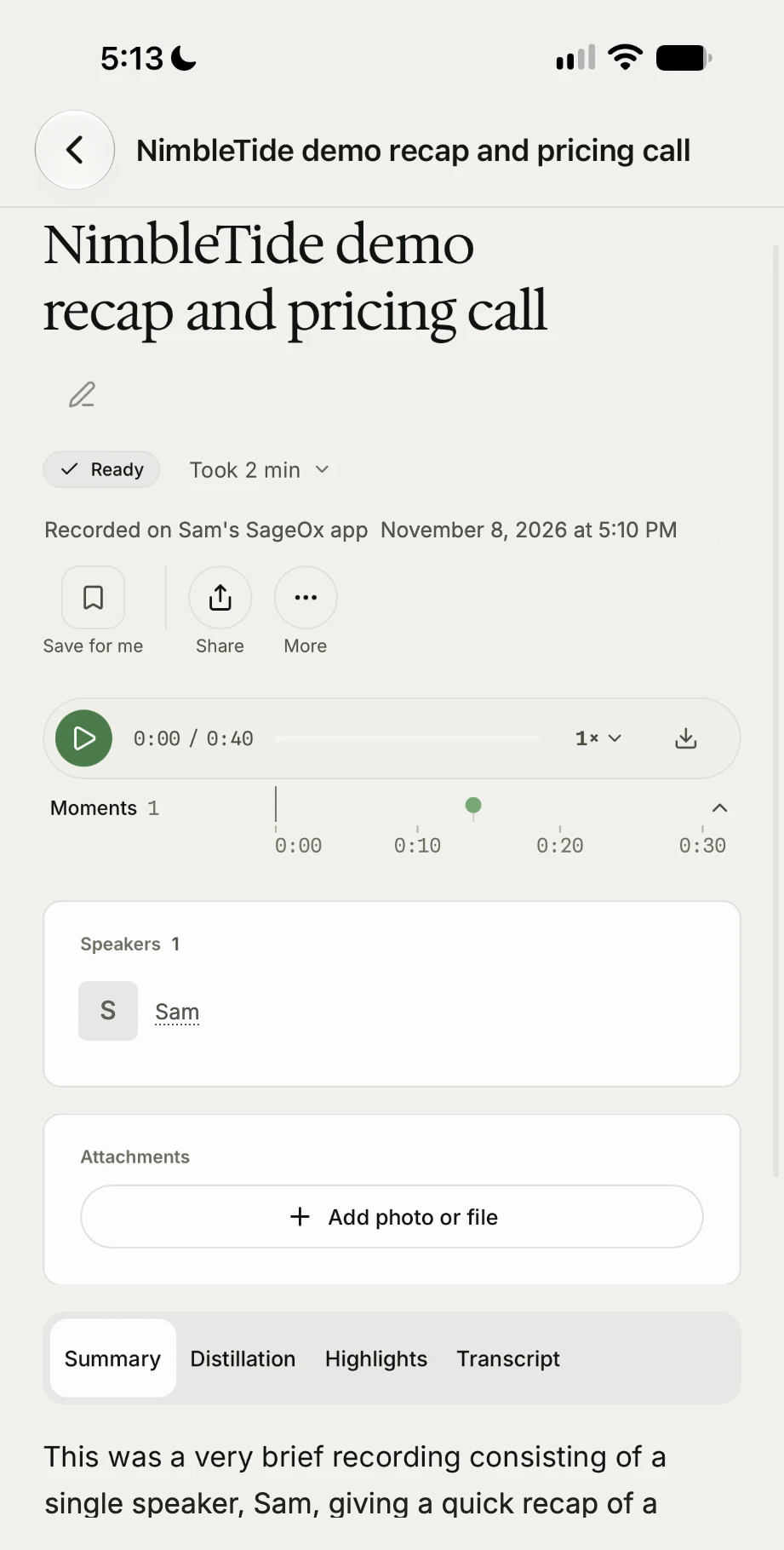
  • The iPhone discussion screen titled NimbleTide demo recap and pricing call, with the status Ready, one speaker named Sam, and a summary

    When you stop

    The recording becomes a discussion, with a title and a summary.

Get started on your iPhone

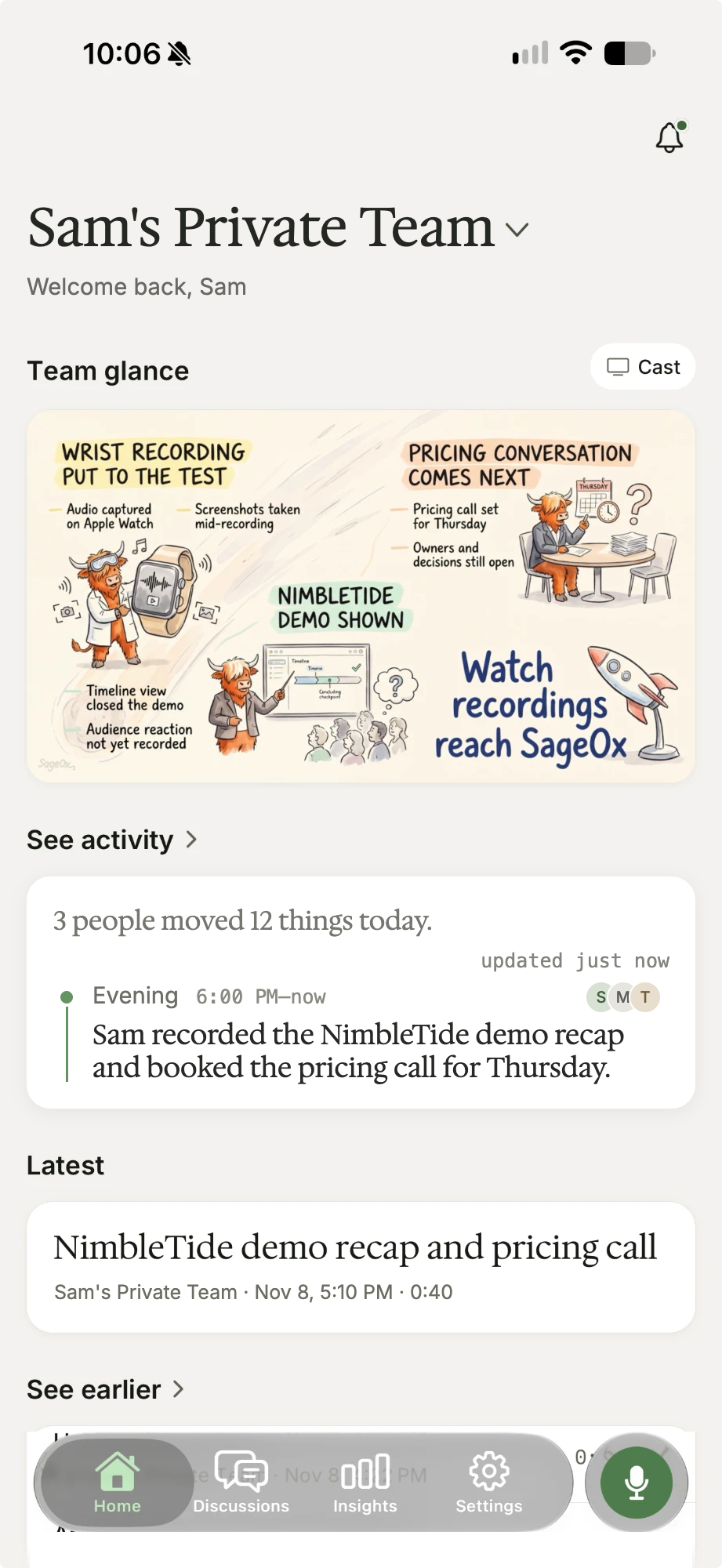
  • Start with one tap

    Tap Record on Home, then pick the team the conversation belongs to.

    The SageOx Home screen on iPhone for Sam’s Private Team: a Team glance card, an Activity card and the latest Discussion, NimbleTide demo recap and pricing call
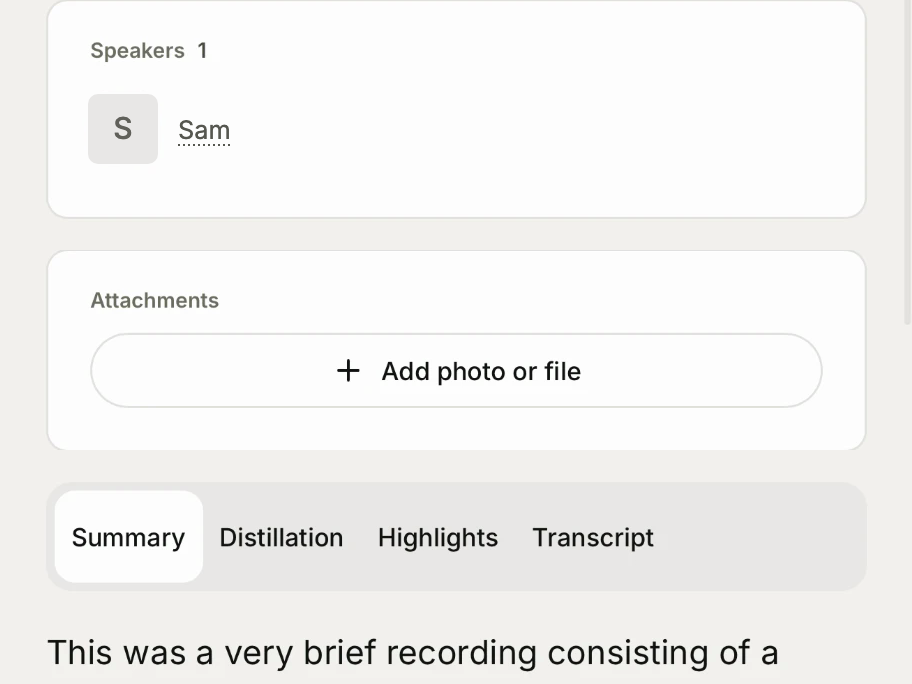
  • Add photos and files

    Attach a photo or file to a recording, and it stays with the discussion.

    The iPhone discussion screen: a Speakers section with Sam, and an Attachments section with an Add photo or file button

Record from your Apple Watch

Tap Record on your Apple Watch. It records on its own, so your iPhone can stay in your pocket.

A person at a café table holding a coffee cup, with an Apple Watch on their wrist that shows a recording

Get started with your Apple Watch

Sign in on your iPhone, open the Watch app, and tap Install next to SageOx.

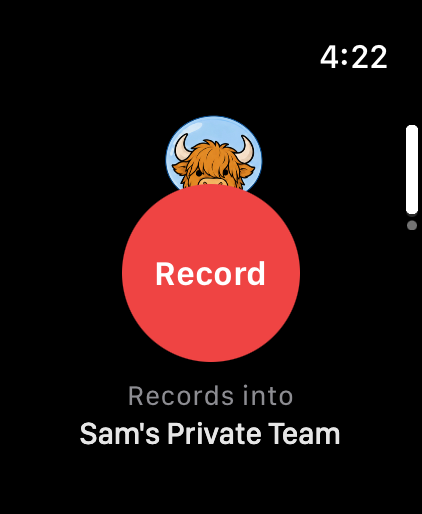
An Apple Watch showing a large Record button and the line Records into Sam’s Private Team
On Apple Watch

Tap and talk

One tap on the watch starts the recording.

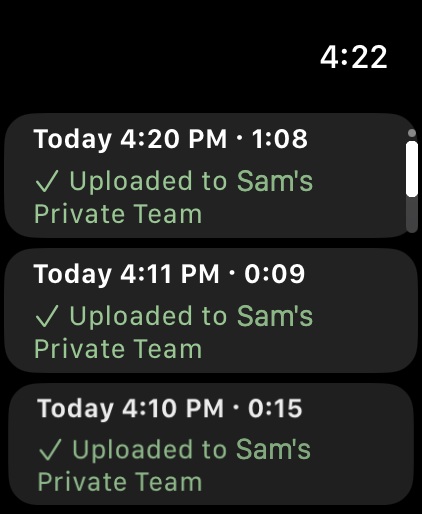
An Apple Watch list of three recordings, each marked Uploaded to Sam’s Private Team
On Apple Watch

Sent to your team

The watch sends the recording to your team’s workspace over your iPhone, Wi-Fi or cellular.

Record it while it’s fresh

  1. You leave the meeting

    You walk out of a customer demo with the details still fresh.

  2. You record

    You tap Record on your Apple Watch and say what happened and what comes next.

  3. Your team has it

    The recording lands in Team Context, where your human and AI teammates can find it.

Need to check device compatibility? See system requirements
iPhone
iOS 17.2 or later.
Apple Watch
watchOS 27 or later.

Capture the next idea wherever you are.

Get the iPhone app

The Apple Watch app installs from the Watch app on your iPhone.