How to Share Context Between Claude Code and Codex

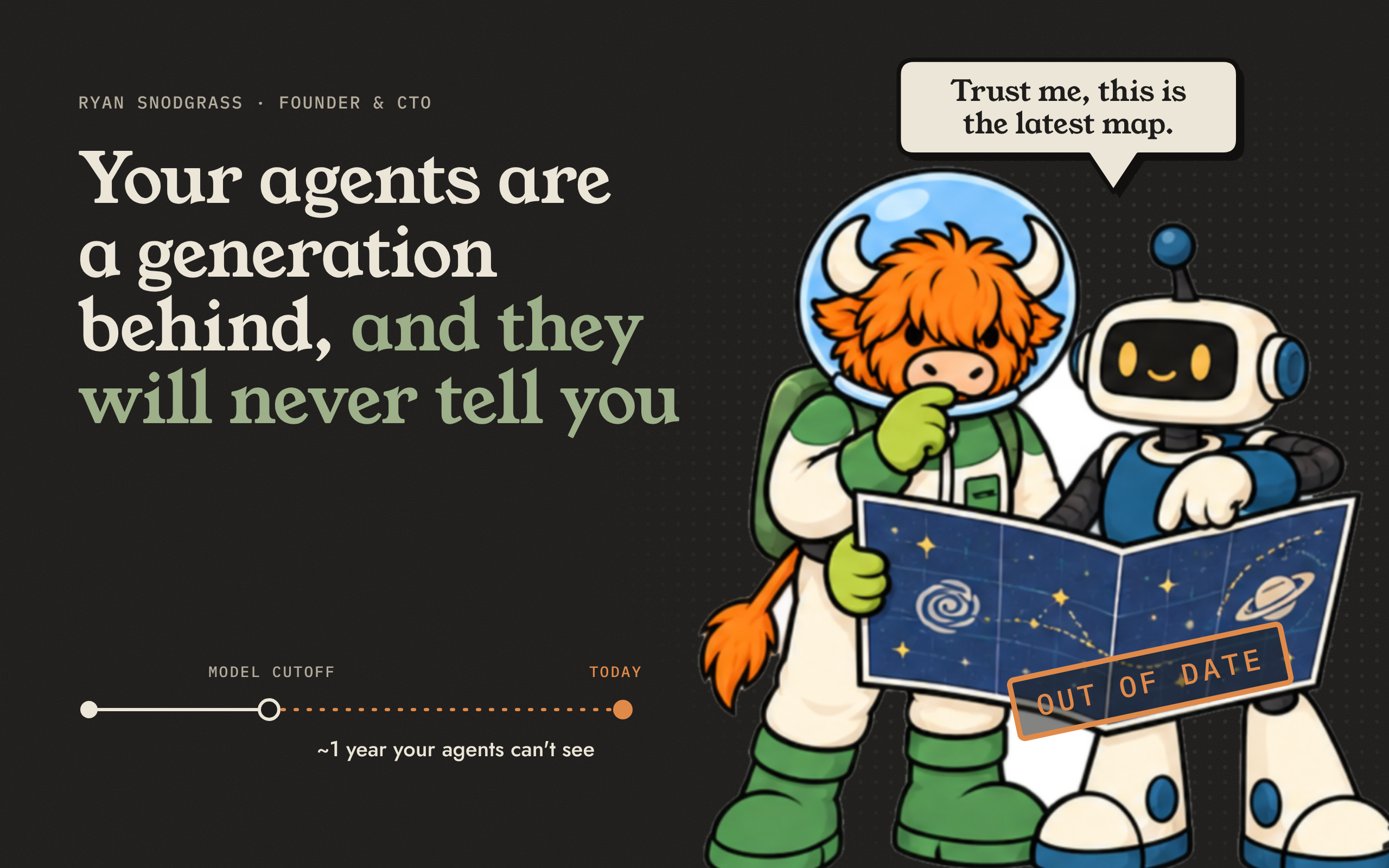
Last week the founder of a local startup described his team's setup to me. They build primarily with Claude Code and Codex, plus ChatGPT, Gemini, and a few open-source models they run locally. "It's very messy," he said, without apology. When the team moves between tools, "there's no contexting happening, and we have to update the context manually."
I hear some version of this constantly, and it comes in three forms. Some people are switching: they have a current favorite, hold it loosely, and move the day something better appears. The current migration seems to be from Claude Code toward Codex and lighter, cheaper open-source models. Others run several harnesses and tools concurrently, picking whichever suits the job, the budget, the token plan, or the constraint of the week. And finally, on many teams the choice is not even shared: each person has a preference, and they all work in the same repository.
In all three cases, the work gets trapped in the harness where it was done, visible only to the person steering. So decisions get fragmented, re-created, re-explained, and re-litigated. Agents get confused. Humans get confused. "Very messy" is an understatement.
So how do you work across Claude Code, Codex, and whatever comes next, and across people, without losing what you know? The common advice is to share the instruction file. That takes a few minutes and covers your rules and conventions. Sharing everything else — the sessions, the decisions, the reasoning — takes a layer that sits outside all of them. Here is how to do both.
How Do I Export CLAUDE.md to AGENTS.md?
This part just got easier. As of version 2.1.277, released September 18, Claude Code reads AGENTS.md whenever a folder has no CLAUDE.md. Codex already reads AGENTS.md. So the simplest setup is one file: move your instructions into AGENTS.md, delete CLAUDE.md, and both agents follow the same conventions.
One caveat. It is a fallback, not a merge. If a CLAUDE.md is still sitting in the folder, Claude Code uses it and ignores AGENTS.md, so a stale file stays in charge. Either remove it, or keep it and put the single line @AGENTS.md inside it. The behavior can be changed under Project instructions in /config.
A second caveat. The change covers the instruction file and nothing else. Skills still live in separate places: Claude Code loads them from .claude/skills/, while Codex, Gemini CLI, Cursor, and most other agents have settled on .agents/skills/. A team that shares skills still has to maintain both folders, or symlink one to the other.
All of this is worth doing. Instruction files and skills tell an agent the rules. But rules are a small part of what a team knows. The rest is elsewhere, fragmented or never written down at all.
How Do I Share Everything Else?
It helps to separate two kinds of knowledge. The first is rules: the guardrails and conventions an agent must follow on every task. Those belong in AGENTS.md and the folders around it, and they will for a long time. Nothing here replaces them.
The second is context: what the team decided last week and why, what was tried and abandoned, what a teammate's agent learned yesterday. An agent does not need all of it on every task. It needs the relevant part, at the moment it is reasoning. This is the knowledge that gets trapped, because today it lives in each harness's own session history, or in nobody's files at all.
The fix is to keep less of that context inside anything specific to one harness. Put it in a layer that every harness can read from and write to, and that none of them owns. Then a switch, a second agent running in parallel, or a teammate with a different preference costs far less, because most of what the team knows was never inside the tool.
That layer is what we built at SageOx. The Ox CLI is open source, and it attaches to Claude Code, Codex, and other harnesses through their own hooks. Setup is once per repository:
brew tap sageox/tap && brew install ox
ox login
ox init
ox doctor
From then on you start Claude Code or Codex the way you always have. When a session begins, the agent is handed the team's decisions, conventions, and recent history. The session is then recorded into the same shared memory, beside the meeting recordings and the conversations that arrived over MCP. The memory itself is a git repository: versioned, yours, and exportable. If you ever leave SageOx, everything you accumulated leaves with you, in a form any future tool can read.
Can a Team Use Claude Code and Codex at the Same Time?
We do, all day, every day. We also use many other tools, along with Buzz agents and MCP connections. Within our own development, there is no mandated toolkit. We try new tools constantly. Each new hire has brought a favorite along, and we have dropped tools we relied on heavily only months ago. None of it has cost us what we knew.
The Codex session my colleague Lau ran on Monday has seamlessly turned into context for the Claude Code session I start on Thursday. The intern we hire next summer and the agent that ships next month, neither of them known to us yet, will tap into that knowledge on their first day.
The agents will keep changing. So will your models, tools, and maybe even colleagues. Your context should outlive all of them.
SageOx is free to start. Install the Ox CLI from github.com/sageox/ox, run the four commands above in one repository, and open your next Claude Code or Codex session the way you always do.
If your setup is as messy as the one I opened with and you would like help getting set up, schedule time with us.
FAQ
Does Claude Code read AGENTS.md?
Yes, as of version 2.1.277 (September 2026), when there is no CLAUDE.md in the folder. If both files exist, Claude Code uses CLAUDE.md and ignores AGENTS.md, unless you change the setting in /config or import it by putting the line @AGENTS.md inside CLAUDE.md.
Does Codex read CLAUDE.md?
Not by default. Codex reads AGENTS.md. You can set project_doc_fallback_filenames in the Codex config so it falls back to CLAUDE.md, but one shared AGENTS.md is simpler.
Can Claude Code and Codex share session history?
Not on their own. Each stores its sessions in its own format, on the machine where they ran. The Ox CLI from SageOx records sessions from both into one team memory that either agent can draw on.
Does it work with Cursor, Gemini CLI, Devin, or other coding agents?
The Ox CLI integrates with Claude Code, Codex, Gemini CLI, Droid, and Goose through hooks, with OpenCode and Amp through plugins, and with Cursor, Windsurf, Cline, Copilot, Kiro, Aider, and Pi through their instruction files. All of them draw on the same team memory. Any agent that reads AGENTS.md can be primed the same way, and the list grows with each release.
Are my secrets safe when coding sessions are recorded?
Secrets are stripped locally, before anything is stored or synced. The CLI pattern-matches cloud keys, tokens, private keys, and auth headers. Pattern matching is not perfect, so avoid pointing an agent at credential files. Each person can set recording to automatic, manual, or off.
Does sharing context between Claude Code and Codex use more tokens?
A little at the start of each session, when the agent is handed the team's context. After that, context is disclosed progressively: the agent pulls more only for the area it is working in, rather than loading everything at once.
What does SageOx cost?
SageOx is free to start. The Ox CLI is open source.